The Mac/Win toggle/switch on the front of the Q1 keyboard isn't working. It seems to get stuck in Mac mode and won't switch to Windows.
0 views
Please try the following solutions:
- The system toggle on the top left corner might be loose or have fallen off. Please disassemble the Q1 and check to see if this is the case. If the toggle is broken, please take photos of the broken part and contact us at support@keychron.com with the photos attached. We will help to arrange proper replacement parts for you. (How To Disassemble Keychron QMK/VIA Enabled Keychron Keyboard)
- The pins on the daughterboard or motherboard are bent (check the pictures below). Please disassemble the Q1 and then check the pins. If the pins are bent, you can straighten them back to normal and it should work again. (How To Disassemble Keychron QMK/VIA Enabled Keychron Keyboard)
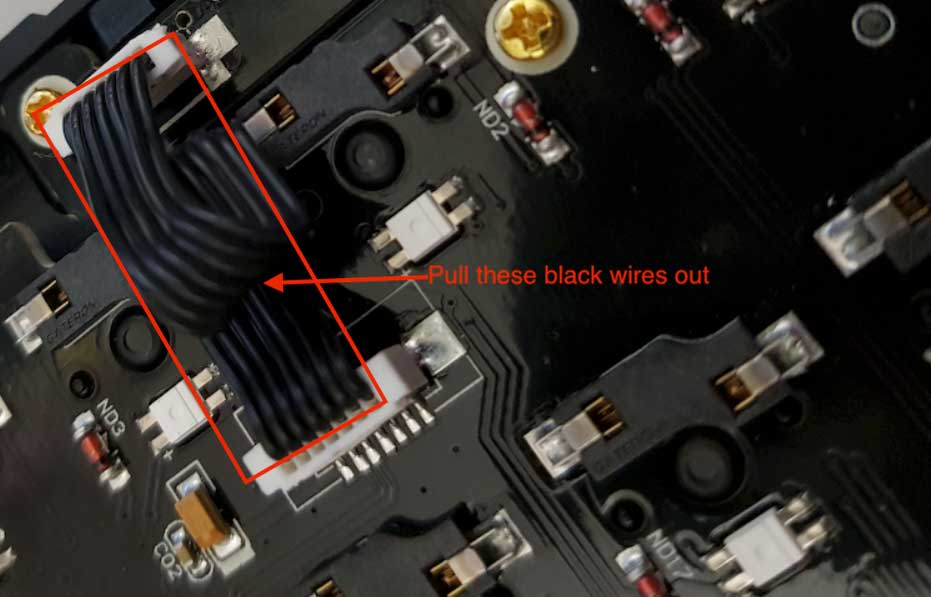
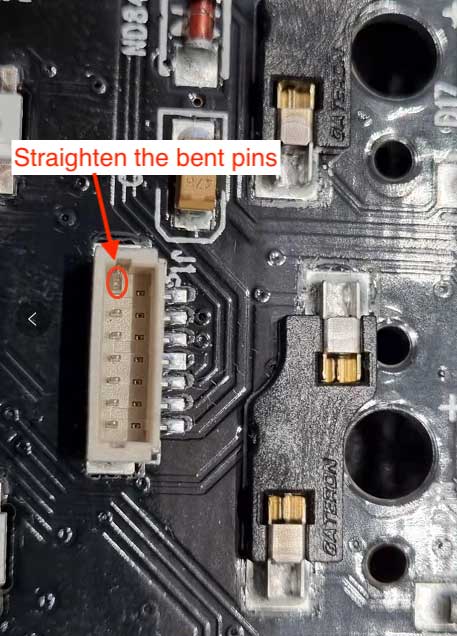
Was this article helpful?
0 people found this helpful